Does changing a MIDI score from sharps to flats change the notes?
Check the sounding pitch before moving a note. C-sharp4 and D-flat4 can represent the same MIDI note number, 61. A different written name alone is not evidence of a transcription mistake. Compare spelling and pitch separately when taking a converted MIDI into notation software.
Open the MP3 to MIDI converter
Six fixed pitches, three actual MusicXML exports
We constructed six notes numbered 60, 61, 63, 66, 68 and 70, starting half a second apart at 120 BPM. Every note lasted a quarter of a second. We passed the same track to Audiomidi's per-track MusicXML export function with key-signature settings of one flat, no sharps or flats, and one sharp. These are local exports from production source revision 4f8a949, not recordings transcribed by QUICK or DEEP.
| MIDI number | One flat | No signature / one sharp |
|---|---|---|
| 60 | C4 | C4 |
| 61 | D-flat4 | C-sharp4 |
| 63 | E-flat4 | D-sharp4 |
| 66 | G-flat4 | F-sharp4 |
| 68 | A-flat4 | G-sharp4 |
| 70 | B-flat4 | A-sharp4 |
Five of the six names switched between flat and sharp spellings. All eighteen written pitches decoded to the same six original MIDI numbers in the same order. The input track object also remained unchanged. The one-flat export contained 1,811 bytes; the other two each contained 1,805 bytes. Equal file size is incidental: the pitch elements, rather than the byte count, establish the result.
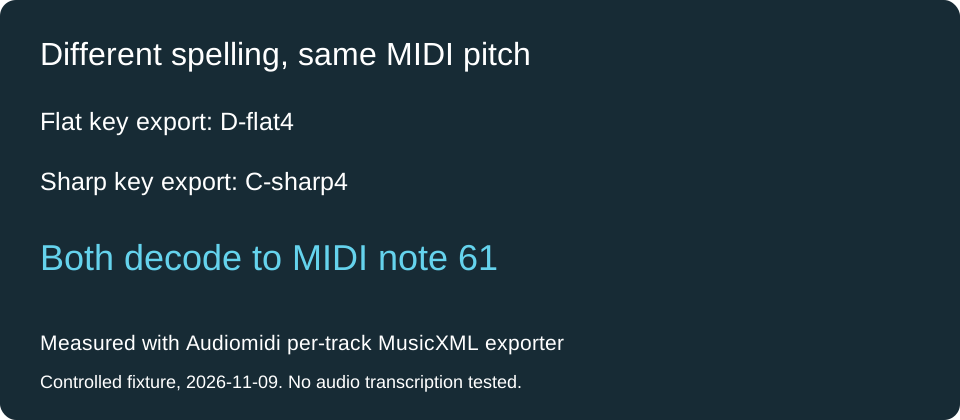
The exporter used flat spellings for every altered note when the key setting was negative. A neutral or positive setting used sharp spellings. This simple rule explains the observed changes; it does not select the most readable spelling for a real melody. The source phrase is deliberately chromatic, so assigning it a key here is an experimental control, not harmonic analysis.
Download the one-flat export, neutral export, one-sharp export and parsed measurement data to inspect the result.
What should I change in my score?
Listen to the original recording and the MIDI first. If the pitch matches but the written name makes the phrase hard to read, use the notation editor's enharmonic respelling control. If the MIDI actually sounds a semitone away, inspect the detected pitch or transposition instead. Respelling and transposing solve different problems.
Does this test cover every Studio export?
This comparison covers the per-track exporter with explicit key settings. It does not verify the separate whole-song export, another notation application's import rules, automatic key detection or MP3 transcription accuracy. For a score with extra noteheads rather than different names, use the barline tie comparison.
Format reference: the MusicXML alter element expresses chromatic changes in semitones; fifths records the key signature.