The FL Studio project we actually exported
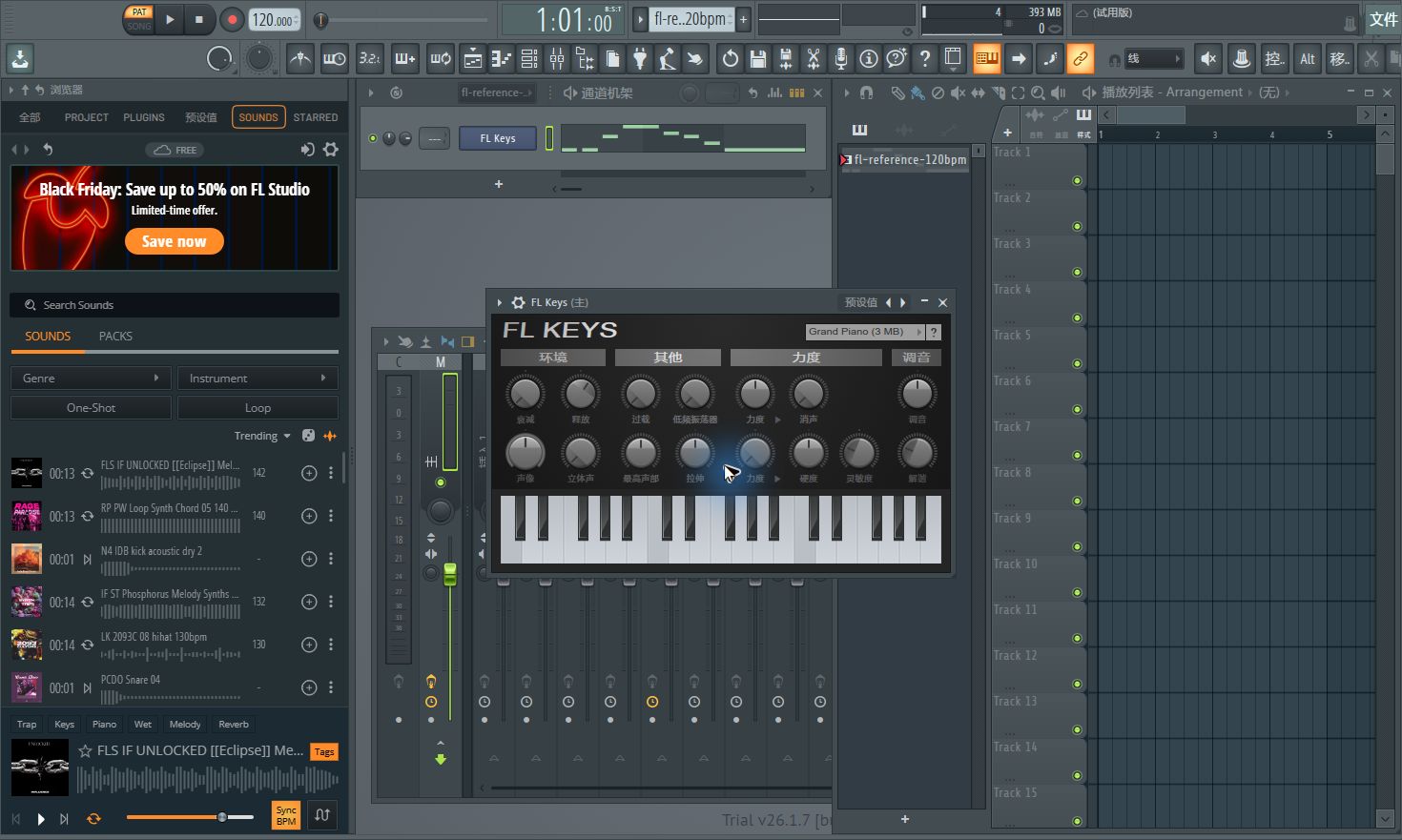
We used FL Studio 2026 trial, version 26.1.7, with the interface set to Chinese. The original eight-note phrase was C, C, E, G, F, E, D, C, using MIDI numbers 60, 60, 64, 67, 65, 64, 62, 60. It was a deliberately constructed reference, not a live performance. At 120 BPM its note starts were 0, 0.5, 1, 1.5, 2.5, 3, 3.5 and 4 seconds; the final C ended at 6 seconds.
We opened the reference MIDI through File → Open, right-clicked the imported Channel #1, and chose Replace → FL Keys. The selected preset was Grand Piano (3 MB). This replacement matters: the imported channel was MIDI Out, so its notes needed an internal instrument before an audio render could capture them. F7 opened the FL Keys Piano roll. FL’s screenshot labels MIDI note 60 as C5; the event number, rather than an octave-name convention, identifies the tested pitch.
Export the WAV and run the converter
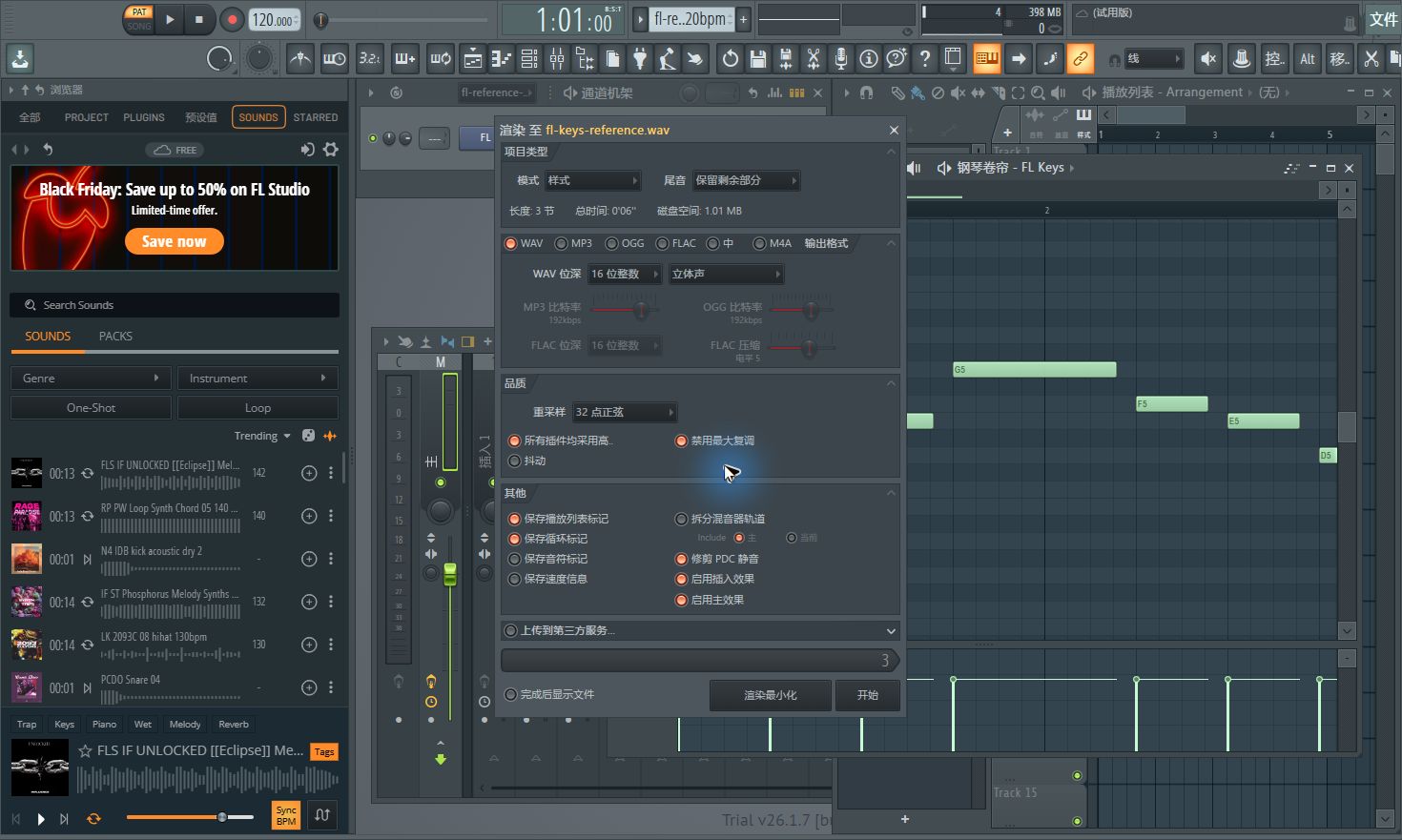
We pressed Ctrl+R and saved a WAV, then used Pattern mode, 16-bit integer WAV, stereo channels, 32-point sinc resampling and Leave remainder. The render dialog reported three bars and six seconds before the tail. The resulting file measured 1,240,496 bytes: 44,100 samples per second, two channels and 310,078 frames. Dividing frames by sample rate gives 7.031247 seconds, including the render’s release tail.
On Audiomidi’s WAV converter we chose this saved file, kept QUICK selected, chose Piano under “What did you record?”, and clicked Start transcription. The production page reported Ready for review after 18 seconds and one Piano part with nine notes. We clicked Download MIDI Piano. The saved MIDI contained 3,264 bytes and a 120 BPM tempo event. The Studio part count describes its interface; the exported file stores the notes across two populated MIDI tracks.
Import the actual download into Piano roll
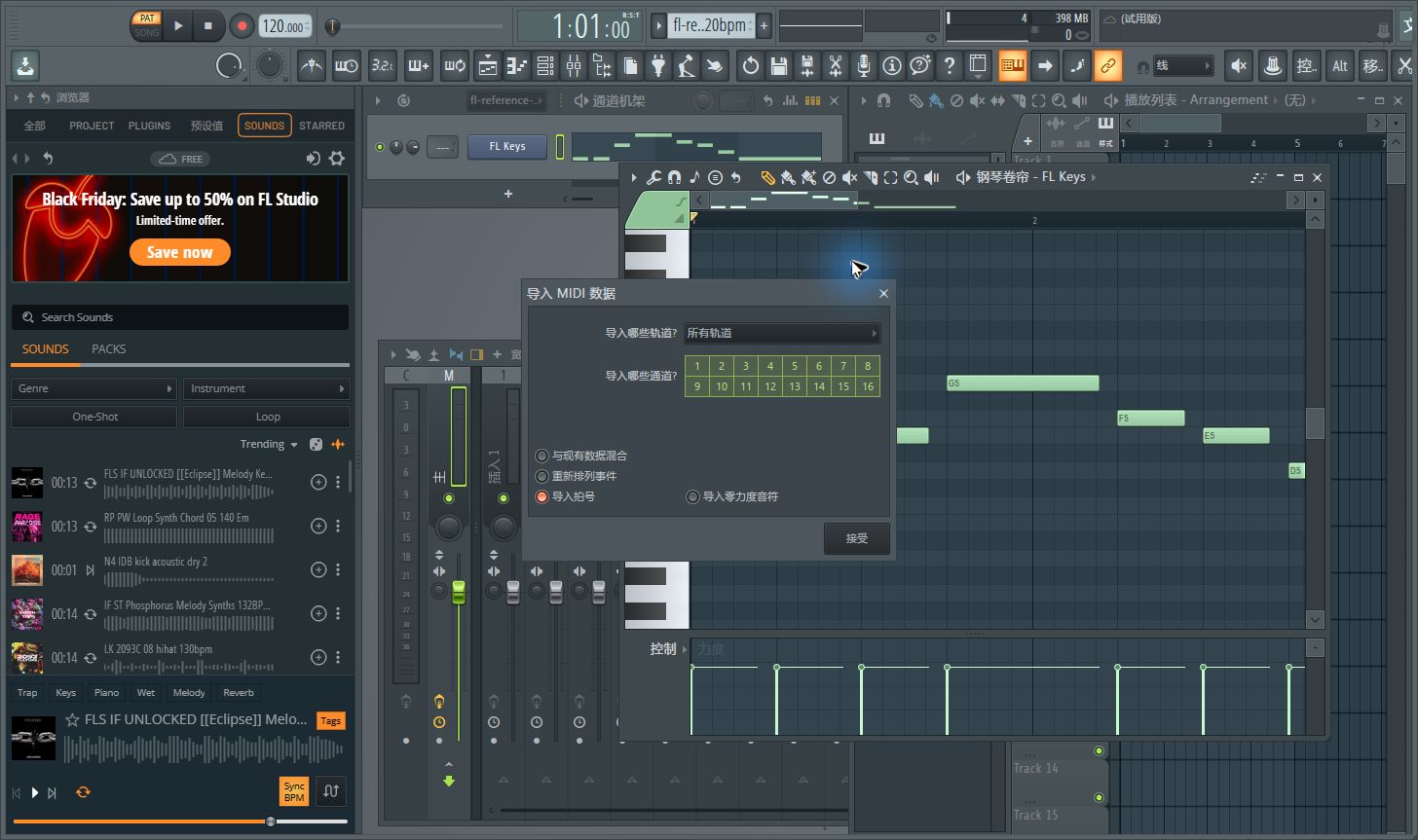
Back in FL Studio, we opened Piano roll’s top-left menu, then File → Import MIDI file (Ctrl+M), and selected the actual download. In Import MIDI data we left Mix with existing data and Realign events off, kept all tracks and channels selected, and accepted. This replaced the test roll’s note data rather than layering a second copy over the reference. The project remained at 120 BPM.
The first two C attacks remained separate, at 0 and 0.498958 seconds. They were not merged in this example. Their releases became adjacent, however, and the second C lasted until 1.416667 seconds instead of 0.9. The last source C became a long event ending at 6.563542 seconds plus an extra C ending at 6.969792 seconds. The displayed nine-note result therefore needs editing even though its melody is recognizable in the roll.
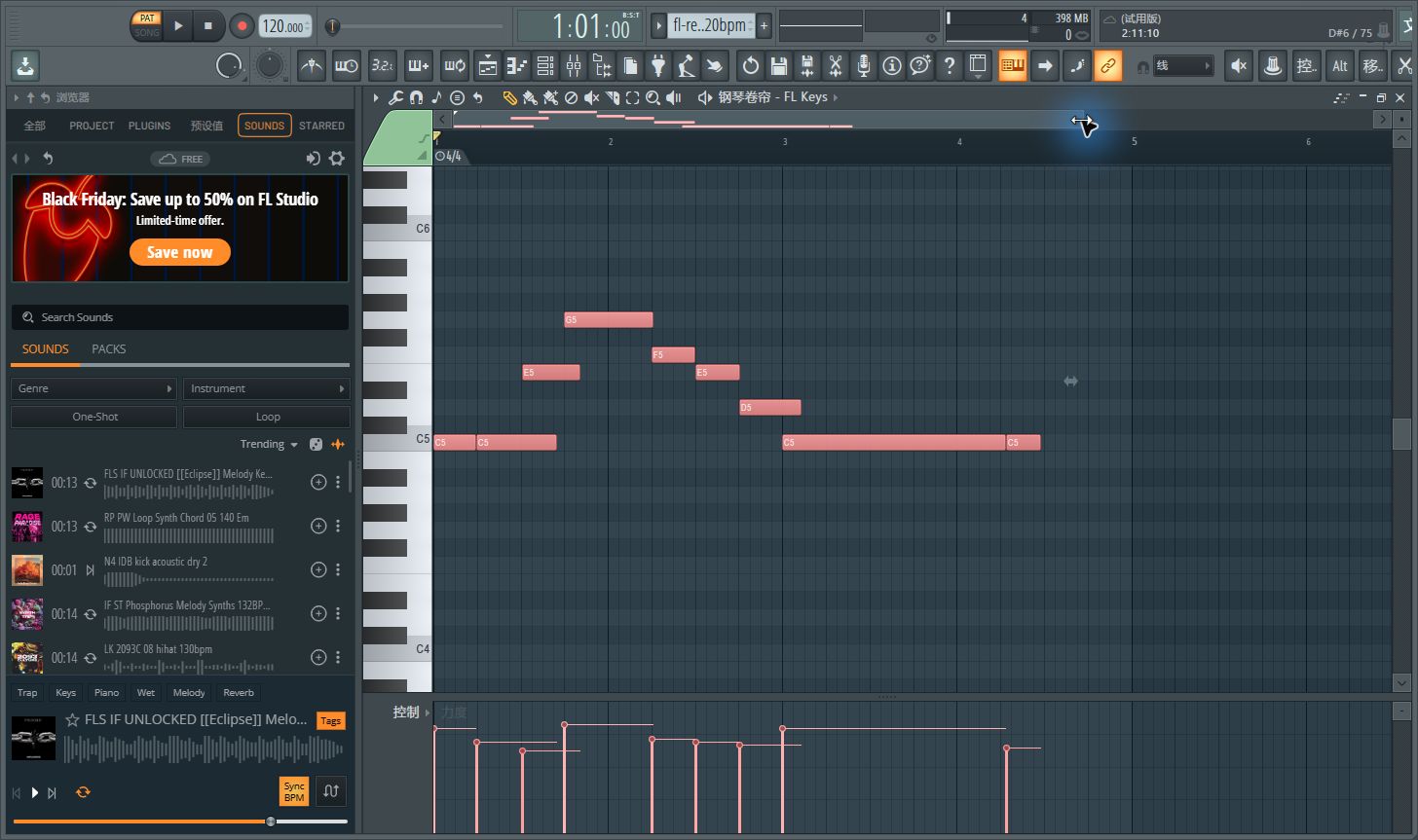
We matched each reference note to an unused detected event with the same MIDI number and nearest start. Across those eight matches, onset differences ranged from −3.125 to +10.417 milliseconds. This short example showed small start differences, not a demonstrated accumulating tempo drift. Every matched release was later than the reference, by 98.958 to 563.542 milliseconds. These are measurements of this one rendered phrase, not an accuracy score for other recordings.
Inspect the original MIDI, actual FL-rendered WAV, actual converted MIDI and parsed note measurements. Export was performed on November 12, 2026; online conversion and Piano roll reimport completed on November 13.
Two problems to check before arranging
For apparently merged notes, compare the source’s repeated attacks with the roll. One long rectangle spanning two strikes needs a split or a corrected release. Our repeated Cs survived as two events, so we would shorten their releases rather than invent a missing attack. Review sustained tails too: this test added a final C event after the intended release.
For rhythm offset, check the project BPM and import position before moving individual notes. A uniform displacement suggests checking the clip start; a growing mismatch calls for checking tempo and performance timing. Keep an unchanged copy, listen against the WAV, and apply quantization only after choosing the intended groove. The small differences in our matched starts do not establish that every recording will stay aligned.
Does this replace FL Studio’s own audio tools?
This is an online transcription workflow with a real FL Studio round trip. It does not test NewTone, Edison, a full mix, drums, DEEP mode or a live piano recording. For general recording preparation use Audio to MIDI; for the tested PCM input settings use WAV to MIDI.
Menu and format references: Image-Line audio export documentation and Piano roll documentation. The screenshots and measurements above come from our execution, rather than those manuals.